Setting Up Welcome Messages
What is the welcome flow?
Section titled “What is the welcome flow?”The welcome flow is a series of automated messages sent to a fan when they first subscribe. It’s the AI’s first impression — and getting it right can significantly increase early engagement and PPV conversions.
The welcome flow is configured per model in the Welcome Flow tab.
Enabling the welcome flow
Section titled “Enabling the welcome flow”Before configuring messages, make sure the welcome flow is enabled:
- On the model Overview or Settings page, toggle Welcome Flow to ON.

Configuring the welcome message
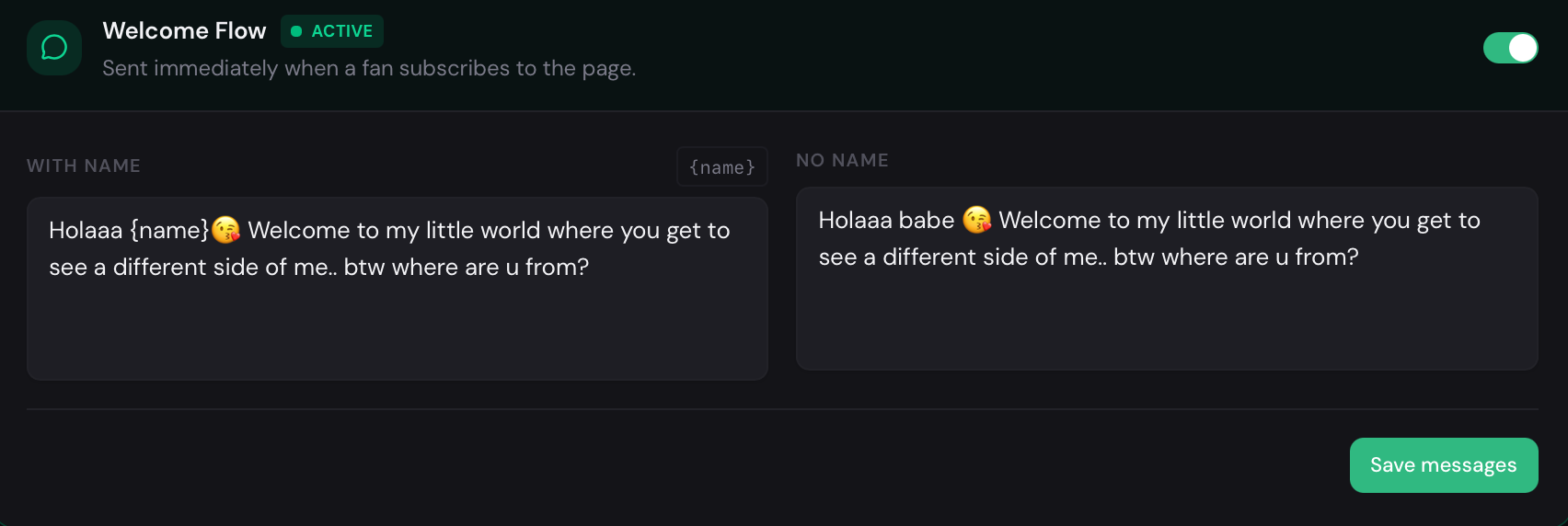
Section titled “Configuring the welcome message”The welcome message has two variants, depending on whether OnlyAI knows the fan’s name:
Name known — used when the fan’s name is available from OnlyFans. AI can personalize the message and address the fan by name.
No name — used when the fan’s name is not available. In this case, AI sends a generic but friendly message without using a personal name.
- Navigate to the Welcome Flow tab for the model.
- Find the Welcome message section.
- Click Edit next to the Name known variant and write the personalized version. Use
{name}as a placeholder where the fan’s name should appear. - Click Edit next to the No name variant and write the fallback version.
- Click Save for each variant.
Message variants
Section titled “Message variants”You can add multiple variants for each welcome message type. The AI will rotate between them to avoid repetition for fans who may see similar messages across accounts.
Click Add variant to create an additional version of the message.
Saving
Section titled “Saving”Each message section saves independently. Click Save after editing each variant to preserve your changes.