Model Controls
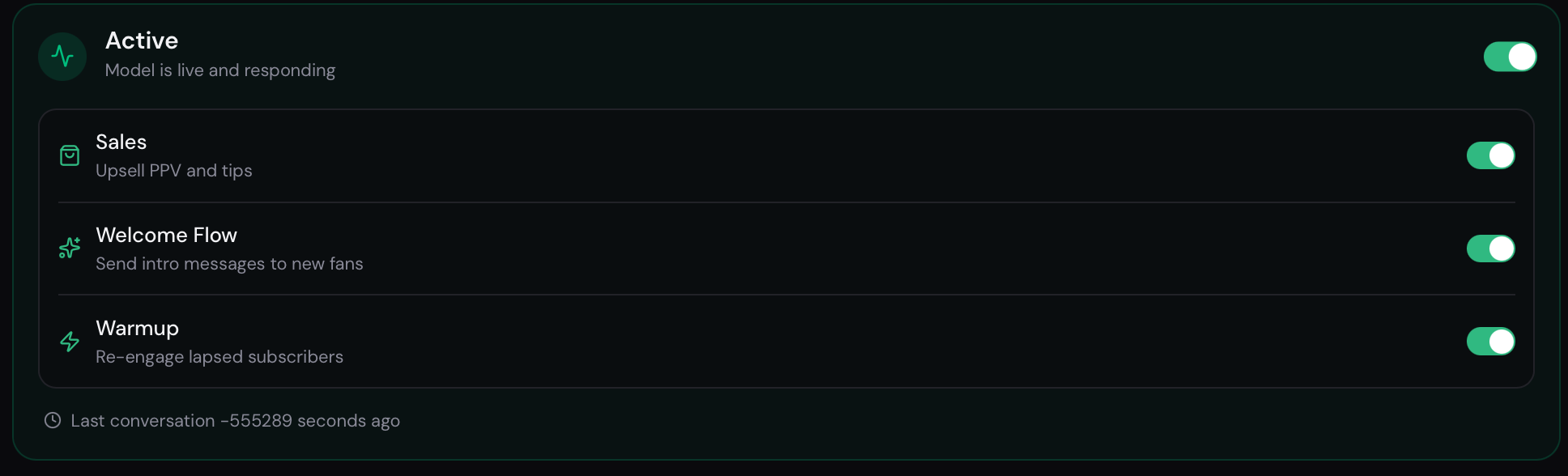
Every model has four main automation switches. You can find them on the model Overview page and also in the Settings tab.
Automation toggles
Section titled “Automation toggles”Active
Section titled “Active”Enables or disables the AI bot for this model entirely.
- ON — the bot reads incoming messages and responds automatically.
- OFF — no automatic responses are sent. The account is connected but dormant.
Use this to pause automation temporarily without disconnecting the OnlyFans account.
Controls whether the AI attempts to make PPV sales during conversations.
- ON — the bot will identify sales opportunities and send PPV offers from your Content library.
- OFF — the bot keeps chatting but won’t send any paid content or PPV messages.
Welcome Flow
Section titled “Welcome Flow”Enables the Welcome Flow for new subscribers.
- ON — new fans receive your configured welcome message when they subscribe.
- OFF — new subscribers don’t receive a greeting from the bot.
Warmup
Section titled “Warmup”Enables the warmup drip sequence for inactive fans.
- ON — fans who haven’t interacted recently receive a series of re-engagement messages.
- OFF — no warmup messages are sent.
Limits
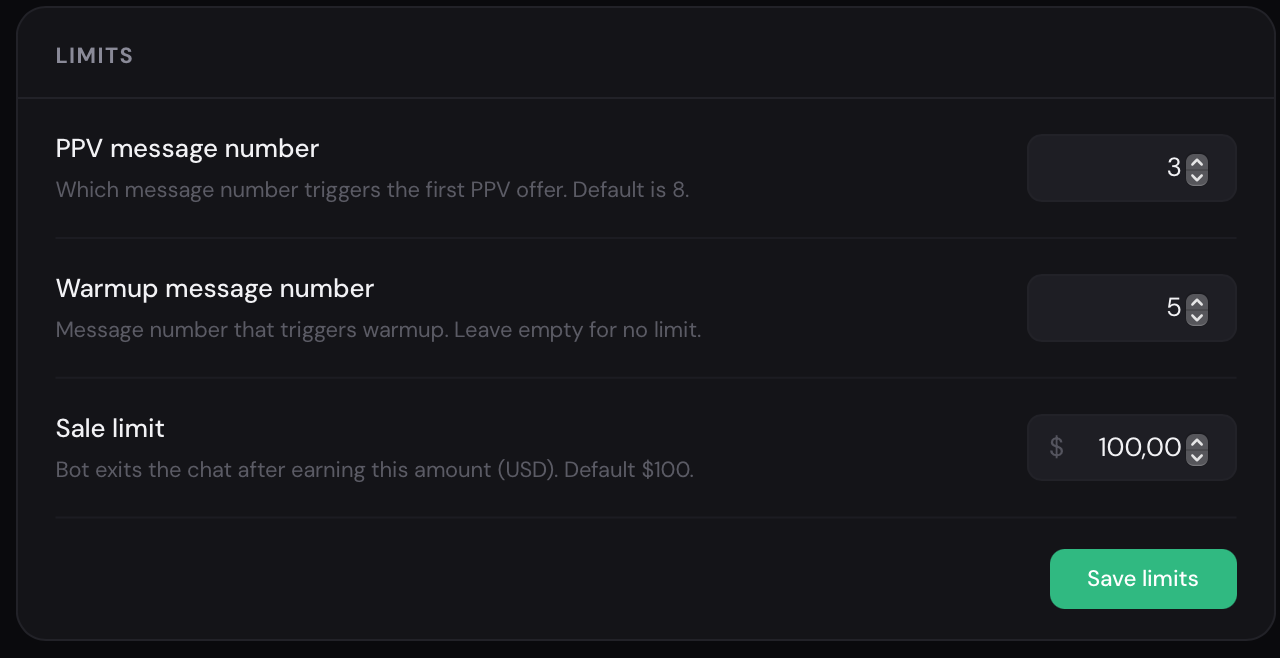
Section titled “Limits”In the Settings → Limits section, you can configure restrictions for AI behavior and control when the bot starts selling content and when it stops interacting with fans.
{% table %}
- Setting
- What it controls
- PPV message Number
- Defines after how many messages the bot can send the first PPV offer. For example, a value of 8 means that no PPV offers will be sent before the eighth message.
- Warmup message Number
- Defines the minimum number of warm-up messages before the bot can move to sales. If left empty, no limit will be applied.
- Sale limit
- Defines the spending threshold after which the bot stops chatting with a fan. For example, if set to $100, the bot will stop the conversation once the fan has spent $100. {% /table %}
Click Save after adjusting limits.
Renaming a model
Section titled “Renaming a model”On the model Overview page, click the model name at the top of the page to edit it inline. Press Enter or click outside to save.
Overview page quick links
Section titled “Overview page quick links”The model Overview also shows:
- A completeness indicator — how fully the model’s profile and content are configured.
- Quick-access buttons to Chats, Profile, Welcome, and Settings.
- A summary of the model’s current profile and configuration state.