Account Settings
Automation Settings
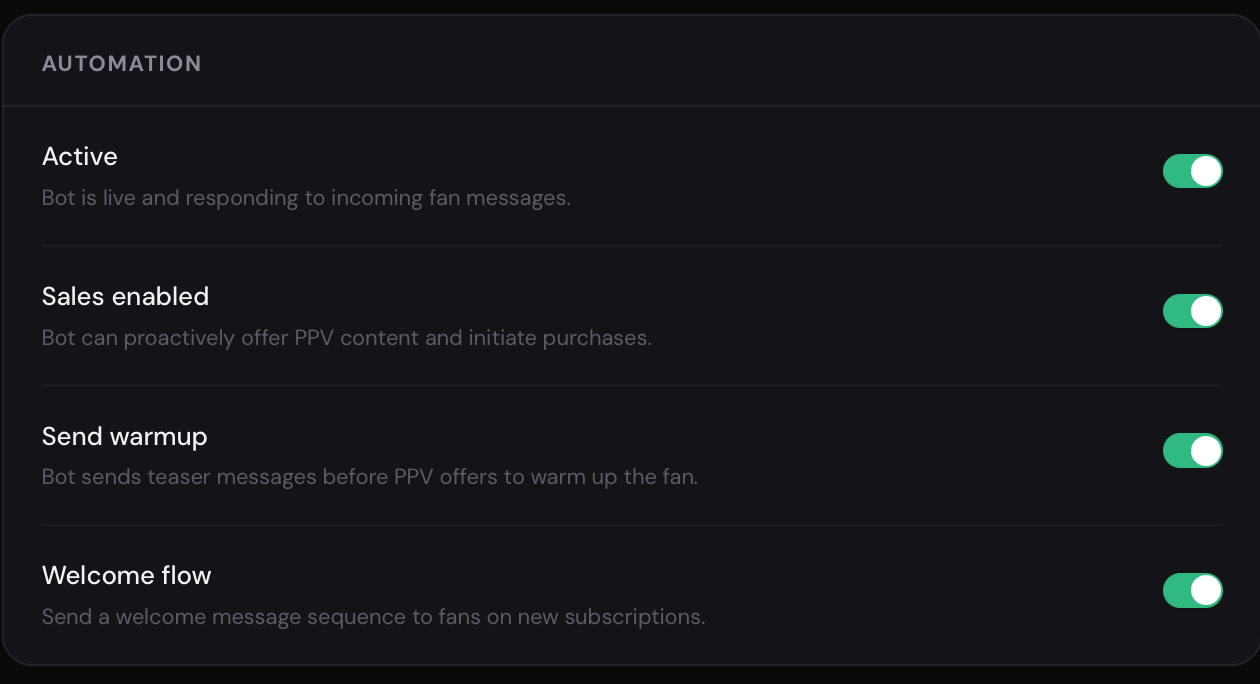
Section titled “Automation Settings”The Automation section displays the main AI operating parameters. Here you can see:
- whether the model is active or inactive
- whether sales are enabled (Sales Enabled)
- whether the All Send Warm-Up function is active
- whether Welcome Flow is enabled
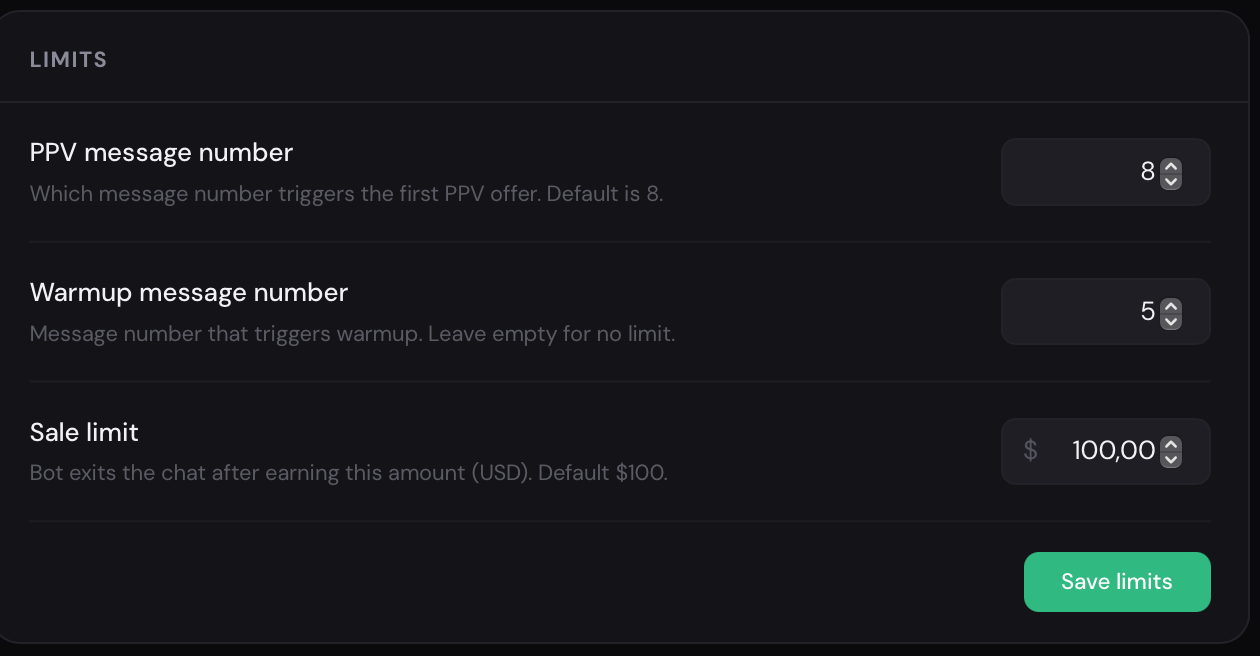
Below are the main limits and restrictions for Full Chatting.
PPV Message Number
Section titled “PPV Message Number”This parameter defines the minimum number of messages in a conversation before the AI can send a PPV.
For example, if the value is set to 8, the bot will not send a PPV earlier than after 8 messages in the chat. This helps make conversations feel more natural and avoids overly early sales attempts.
Warm-Up Message Number
Section titled “Warm-Up Message Number”Defines the minimum number of warm-up messages before transitioning to content sales.
The higher the value, the longer the AI will warm up the fan before sending a PPV.
Sale Limit
Section titled “Sale Limit”Defines the spend limit up to which the AI continues communicating with the fan independently.
For example, if the limit is set to 100$, the AI will continue chatting and selling to the fan until this spend amount is reached. After reaching the limit, the chat can be transferred to a manager or chatter depending on the settings.
VIP Club
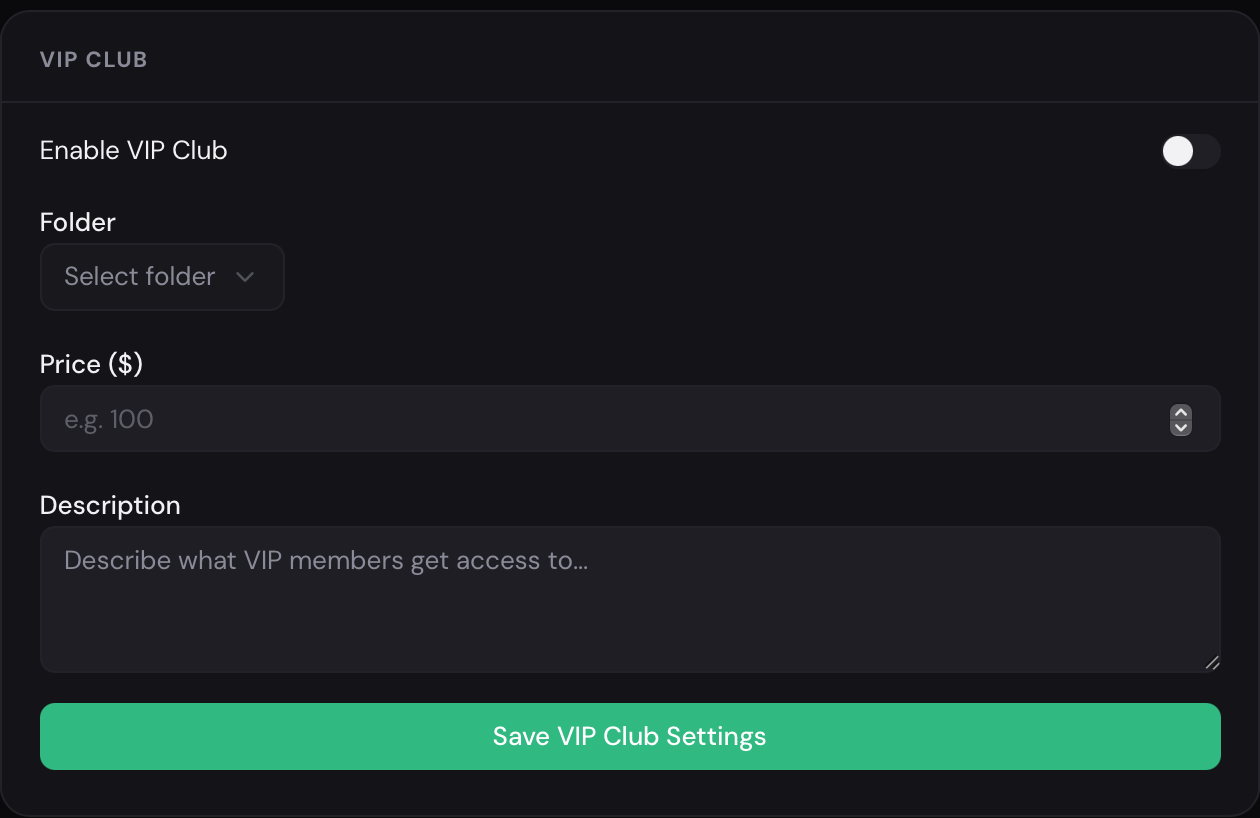
Section titled “VIP Club”If the model has a VIP Club, this section allows you to add additional information about it:
- club description
- price
- content folder
- information about benefits and bonuses
When requested by a fan, the AI will be able to automatically provide information about the VIP Club, explain what is included in the subscription, what content is available, what benefits the user will receive, and under what conditions access is provided.
Account Settings
Section titled “Account Settings”The user profile icon is located in the top-right corner.
By clicking on it, you can:
- switch between light and dark interface themes
- use Sign Out to log out of your account